How I built it · Ryan, October 2026
I never drew a line. I watched, said what was wrong, and made it a rule.
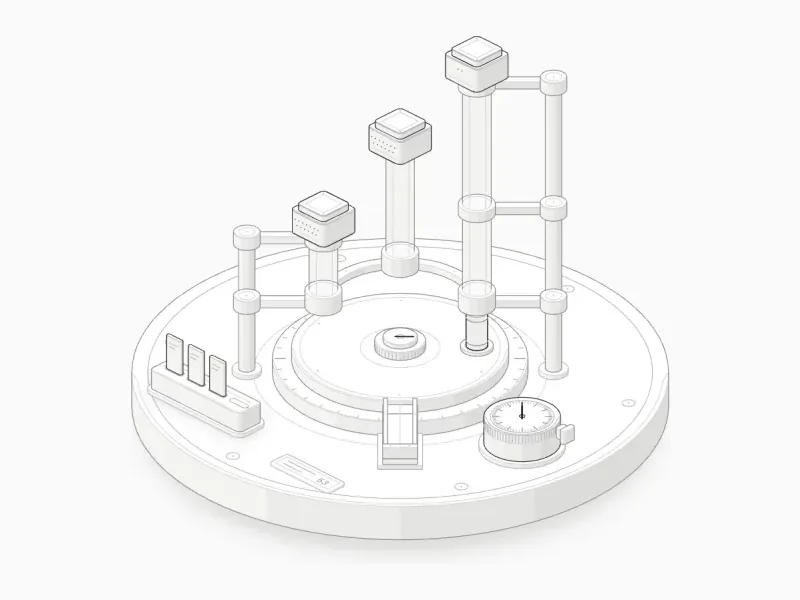
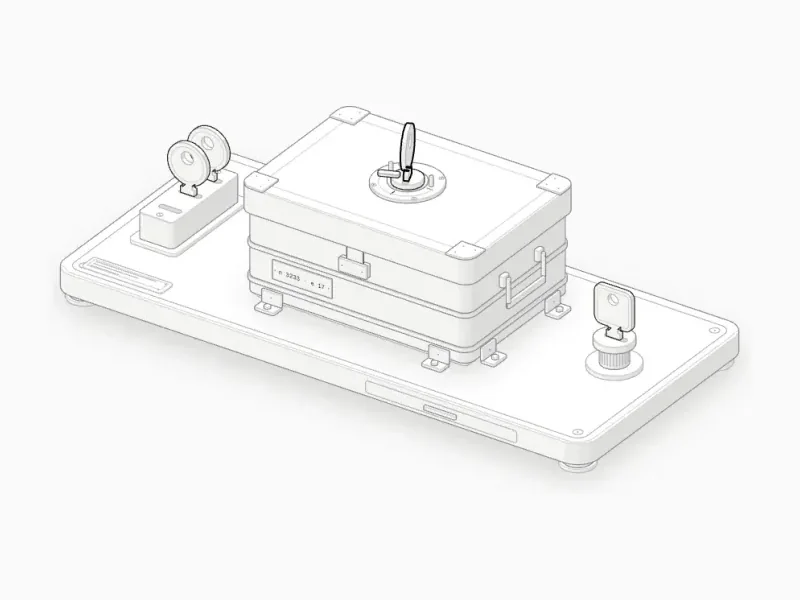
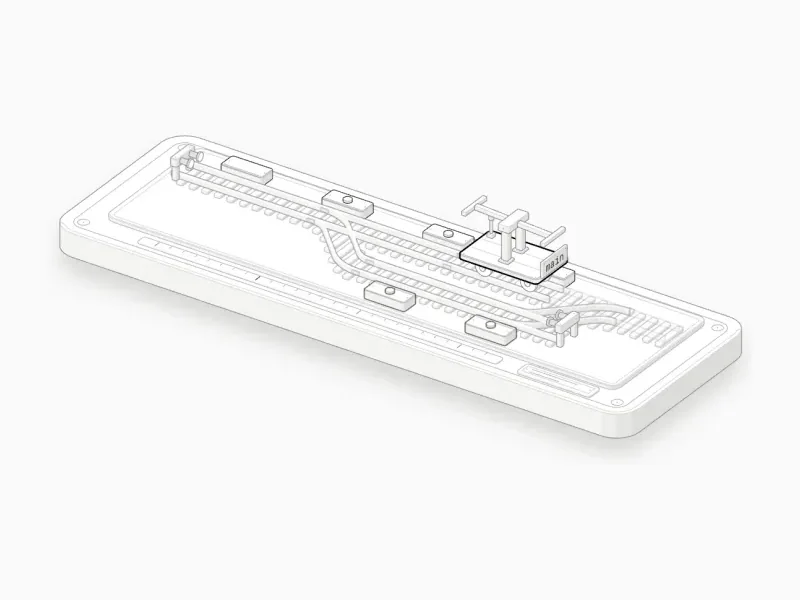
- 12 chapters
- SKILL.md, 155 lines
- a kit of 15,906 lines
- 8 reference notes
- counted 8 October 2026
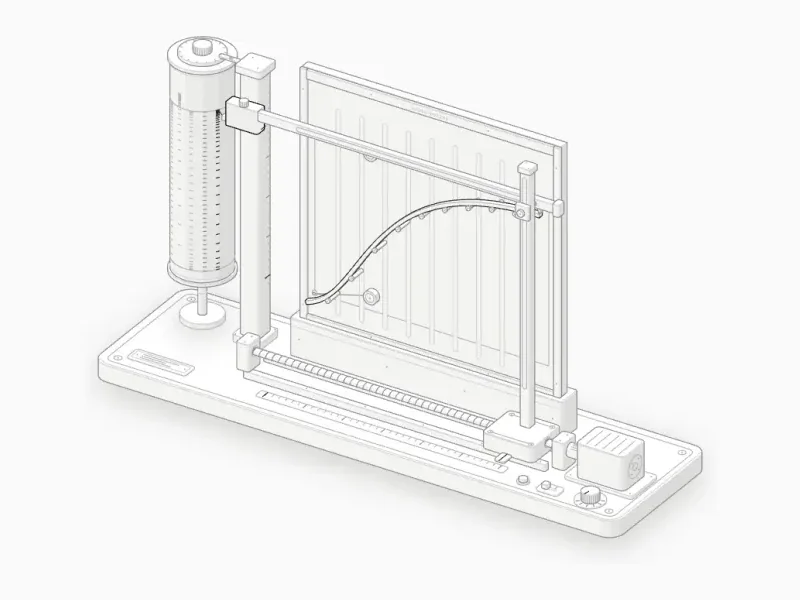
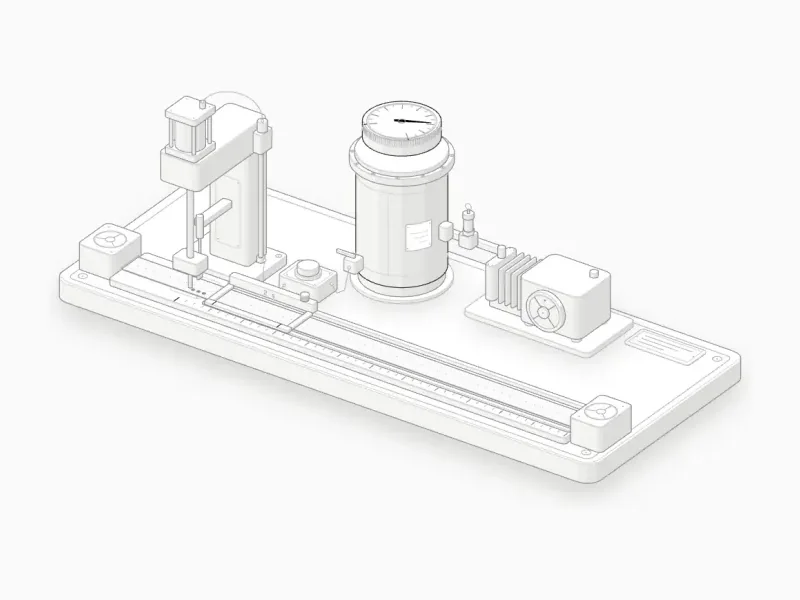
Anatomy is a skill: a folder of instructions Claude reads before it draws. What I did was watch the figures, say what was wrong, and turn each of those notes into a rule Claude follows the next time.
This page follows one line from end to end, in the order Claude works: the rules it reads, the camera every point goes through, how solids are shaded and ordered, how things move, how light gets inside the drawing, how parts turn, and how Claude checks work it cannot see. Every number comes from a file in the skill, from a run I made for this page, or from a source listed at the end.
A folder of rules
Until a request matches it, Claude sees only the skill’s name and a short description. Then it reads SKILL.md, and opens the rest only when a step asks for it. On 8 October the folder held a 155-line SKILL.md, eight reference notes of 2,200 lines, a drawing kit of 13 files and 15,906 lines, eight scripts, and six finished examples to copy from.
---
name: anatomy
description: Build crafted, interactive isometric SVG figures that explain a technical idea as a real physical object (a test rig, a dial gauge, a cabinet of drawers, a plotter, a lock), with many small precise solid parts, …
---
The description does the routing. It says what the skill makes and when to use it, down to requests that never say the word isometric, so a plain ask for an explanatory diagram finds it without the command.
The eight reference notes are where the depth lives: craft (the look, a vocabulary of parts with recipes, and the anti-patterns that got figures rejected), kit (every function, with signatures), motion, WebGL, 3D, verify, React, and a walkthrough of one figure from the first number to the finished card. The six examples range from a dial gauge of about 300 lines to the Raptor engine, and Claude opens the closest one before it starts.1The concept and the parts list come before any geometry, because most of the quality is decided there.
Notes that became rules
Most of the rules started as something I said after looking at a figure. I kept the wording close to the note: a rule that carries the fault that taught it is followed more reliably than a rule alone.
Too abstract. Too flat and bland.
A real machine you can name, made of many small parts, each sitting on another.Lines that finish and merge into others without an instant stop.
Every line ends on a face, another line or a terminal dot.Pipes overlapping the main pipe, which makes no sense.
Pipes run through real ports and clamps, and the audit fails anything that passes through anything.We’d rather fade them out at the end than an instant stop.
Textures fade out or stop on a real edge.An instant colour change between the shaders.
Every shader value rises and falls on an envelope, and a change of phase is a crossfade.
Each rule in the file is a few lines long, says what to do, and names what not to draw:
- **Lines resolve.** Every line ends on something: a face, another line or a
  terminal dot. Connectors are `Wire`s whose terminal dots land on objects.
  There are no leader lines, balloons, dimension arrows or labels floating in
  the air.
The one that matters most sits at the top of the file. The object is the explanation: no boxes, arrows or labels, but a real, well-made thing whose working is the concept. It also names the two ways a figure fails, both seen many times: too abstract, with stacked plates and labelled boxes, and too flat, one slab with a few lines on it. The cure for both is the same.
Ten steps, in order
Every figure goes through the same order of work. The concept and the parts list are written down before any geometry exists, because once there is a drawing on screen it is tempting to polish the wrong machine.
Size it. Figure, Hero or Epic, with a time estimate, before any other work. An Epic is never started without asking, and whatever the size, a working page opens in the browser within the first hour.
Truth first. The sizes, counts, thresholds and curves of the real thing, written as a small pure module. The readout, the motion and the caption all read from it.
Invent the object. A machine, tool, instrument or piece of furniture whose mechanism maps one to one onto the concept, said in one sentence: what moves, and what that motion means.
List the parts. At least forty, grouped into base, structure, mechanism, controls and the subject, the one lit part. Each part sits on another.
Plan the world. World units of about a pixel of the real thing, plans as rounded rectangles and circles, a camera at 45° and 30° unless the object asks for another, then a fit to the card.
Build the geometry once. Every static path computed ahead of time. Round parts come from a lathe, pipes and cables from a tube builder, and only parts whose shape changes are rebuilt per frame.
Paint back to front. Repeated parts sorted by depth, anything that wraps another part split in two, and, once a figure has pipes, the order measured by the audit instead of tuned by eye.
Frame it. A card with the figure number, a title, the hint and the live readout in its corners, and a true caption under it.
Make it live. Exponential follows and real springs, an idle tour, pointer and keyboard, nothing running off screen, and stillness under reduced motion.
Verify like a critic. Desktop, phone, hover and motion captures, the audit and the line check run to zero, and close-ups at four times of every junction in both themes.
The last step is most of the work. The rest of this page follows the steps in roughly this order, with the code that does each one.
One camera
Every point of every figure goes through one function. The camera is orthographic: every pixel looks along the same direction, so parallel edges stay parallel and a part keeps its size wherever it stands. Two angles set it. The azimuth turns the camera round the vertical axis, and the elevation tilts it down. The default is 45° and 30°.2Strictly, 30° is a dimetric view. True isometric looks down at 35.264°, and at 30° floor edges climb at 26.565°, one pixel up for every two across.
export function iso([x, y, z]: Point3, projection: Projection): Flat {
  const { origin } = projection;
  const { sinA, cosA, sinE, cosE, k } = cameraOf(projection);
  return [
    origin[0] + (x * sinA - y * cosA) * k,
    origin[1] + ((x * cosA + y * sinA) * sinE - z * cosE) * k,
  ];
}

export function depthOf([x, y, z]: Point3, projection: Projection) {
  const { sinA, cosA, sinE, cosE } = cameraOf(projection);
  return (x * cosA + y * sinA) * cosE + z * sinE;
}
Written out, a world point (x, y, z), with A the azimuth, E the elevation and k the scale, lands on screen at
x′ = ox + k · (x sin A − y cos A)
y′ = oy + k · ((x cos A + y sin A) · sin E − z cos E)
x and y lie on the floor and z points up. Screen y grows downward, which is why height subtracts. The scale hides one constant:
const UNIT = Math.sqrt(1.6);It makes one world unit along a floor axis exactly one scale unit long in the default view: sin 45° · √1.6 = 0.894 across and cos 45° · sin 30° · √1.6 = 0.447 down, and 0.894² + 0.447² = 1. depthOf is the same camera read the other way: how far a point lies toward the viewer. It is the sort key for everything that follows.
Solids and order
A part starts as a plan on the floor, a rounded rectangle or a circle, as a ring of points. The kit lifts the ring to a height and returns its fill, its outline, the crease where the top meets the sides, and the sides sorted into tones. It only draws the sides that face the viewer:
const [vx, vy] = towardViewer(projection);
…
const facing = normals.map(([nx, ny]) => nx * vx + ny * vy > 1e-9);
Each visible side lands in one of four buckets by how squarely it faces the light, and the top gets its own lighter fill. The light comes from the viewer’s left and turns with the camera.3Locking the light to the camera keeps every figure lit the same way at any angle. It is also what makes turning in 3D cheap.
const [lx, ly] = [-sinA, cosA];
for (let index = 0; index < count; index++) {
  if (!facing[index]) continue;
  const [nx, ny] = normals[index]!;
  const lit = (nx * lx + ny * ly + 1) / 2;
  const shade = Math.min(SHADES - 1, Math.max(0, Math.floor(lit * SHADES)));
  const next = (index + 1) % count;
  buckets[shade]!.push(pathOf(oriented([top[index]!, top[next]!, bottom[next]!, bottom[index]!]), true));
}
SVG has no depth buffer: whatever is drawn last is on top. So a figure is painted back to front and bottom to top, the painter’s algorithm. The base goes first, then whatever stands on it, and repeated parts are sorted by depthOf.
Its classic failure is a pair that overlaps both ways, like a coil spring round a post: the back of the coil is behind the post and the front is in front of it, so no single order is right. The fix is to split the part that wraps into a back half and a front half and paint the post between them.
Past a few dozen overlapping parts, an order set by hand starts to fight itself. So every helper also records the true 3D shape of what it draws, and the audit casts rays through every pair that overlaps on screen to find which surface is nearer, then raises each part’s key just enough to satisfy every pair. A pair it cannot satisfy interlocks, and the fix is a cut in the geometry, never a nudge to a key. I ran it on the turbofan:
$ node scripts/audit.mjs turbofan
clearance: 0 problems
clearance apart: 0 problems
terminals: 0 ends not on a mount
loose ends: 0
screen folds: 0
support: 0 unsupported solids · 0 hanging tubes · 0 sunk pairs
depth order: 0 problems
through in mid-flight: 0 pairs
self-overlap: 0 chunks whose outline crosses itself on screen
wobble: 0 smoothed profiles whose slope turns between its ends
crowding: 0 pairs where a bend or end touches another line on screen
audit · 541 solids · 6320 overlaps · 6320 order rules · 62.4 s
audit passed
That is 6,320 overlapping pairs, each with a measured order, in 62.4 seconds, and the same run checks that no pipe passes through anything and every end sits on a mount.
The audit exists because of the Raptor engine, one of the skill’s own examples. Zoomed to four times, its first version had cables running through the main ducts and a nozzle shaded in steps. At normal size it had looked fine. On that engine the first audit found 54 clearance problems and 323 depth-order problems, and hand-set keys had left 190 pairs drawn the wrong way round assembled and 133 apart. Measured keys took both to zero.
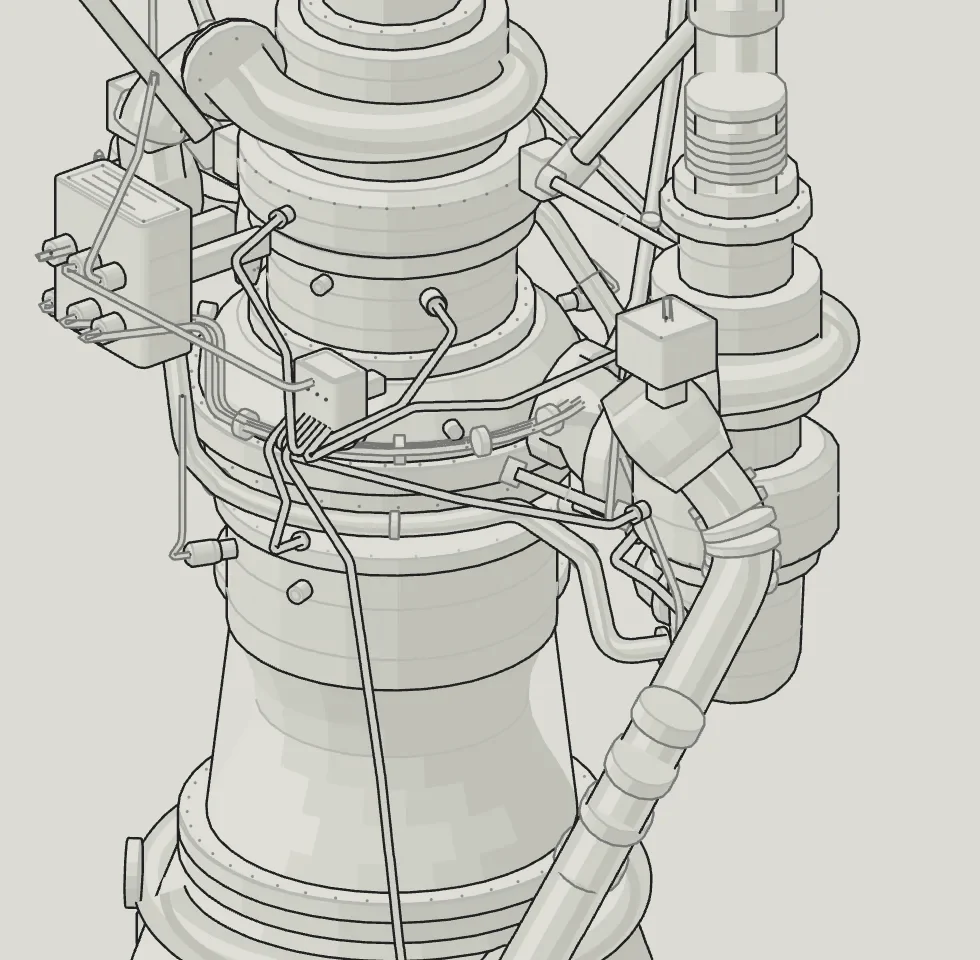
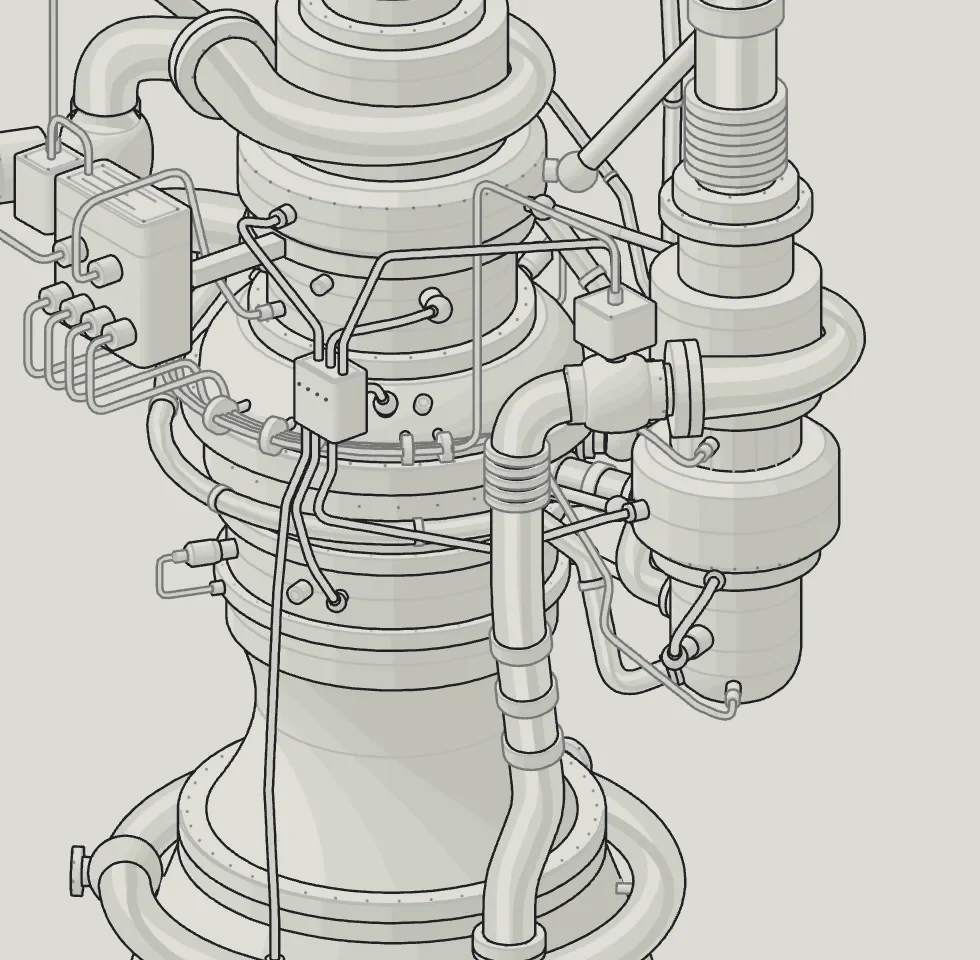
Clearance problems 54 → 0. Depth order problems 323 → 0.
A zero audit is necessary and not sufficient. It sees recorded shapes, never the line markup, so a seam that stops short of a corner still passes it. That needs a different check, in chapter ten.
Motion
Figures move on time, never on frames. The loop reads the timestamp the browser hands it, takes the gap since the last frame and clamps it, so a tab that wakes up after a minute does not leap. Three kinds of motion cover nearly everything.
A follow closes a share of the gap every frame. A camera that eases toward a dragged angle works this way, and two half frames move exactly as far as one whole frame.4Because the share is 1 − e−dt/τ, the motion is the same at any frame rate. Under reduced motion, calm makes the share 1 and the value jumps.
const follow = calm ? 1 : 1 - Math.exp(-dt / 0.12);
const next = {
  azimuth: shown.azimuth + (angles.azimuth - shown.azimuth) * follow,
  elevation: shown.elevation + (angles.elevation - shown.elevation) * follow,
};
A level that has to arrive without overshooting, like a needle or a reserve, rides a critically damped spring. A one-off event, like a flash or a spark, rises on a smoothstep and decays exponentially, so it never starts or ends on a hard edge.
export const smooth = (a, b, x) => {
  const t = Math.min(1, Math.max(0, (x - a) / (b - a)));
  return t * t * (3 - 2 * t);
};

export const burst = (age, rise, fall) =>
  age > 0 ? smooth(0, rise, age) * Math.exp(-Math.max(0, age - rise) / fall) : 0;
Every figure also plays an idle tour when nobody touches it, pauses on hover or focus, and stops when it scrolls off screen. Under reduced motion, springs jump straight to their targets, a shader draws one representative frame, and the figure still answers the pointer and the keyboard.
Light inside the lines
Lines cannot draw light. Fire, exhaust, moving air, water, caustics and lamp light get a WebGL canvas, and the rule about it is strict: the parts stay SVG, and if deleting the effect leaves the explanation standing, the effect goes.
A shader cannot be depth-tested against SVG, so the order lives in the stack: a back SVG with everything the effect can cover, the canvas, then a front SVG with everything that covers it. A part that is on both sides is split between them. The turbofan needs only the first two layers. Its canvas lies over the whole drawing, and the shader tests each pixel’s ray against cones built from the same profiles the SVG draws, so its air passes behind the casing and shows through the cut.
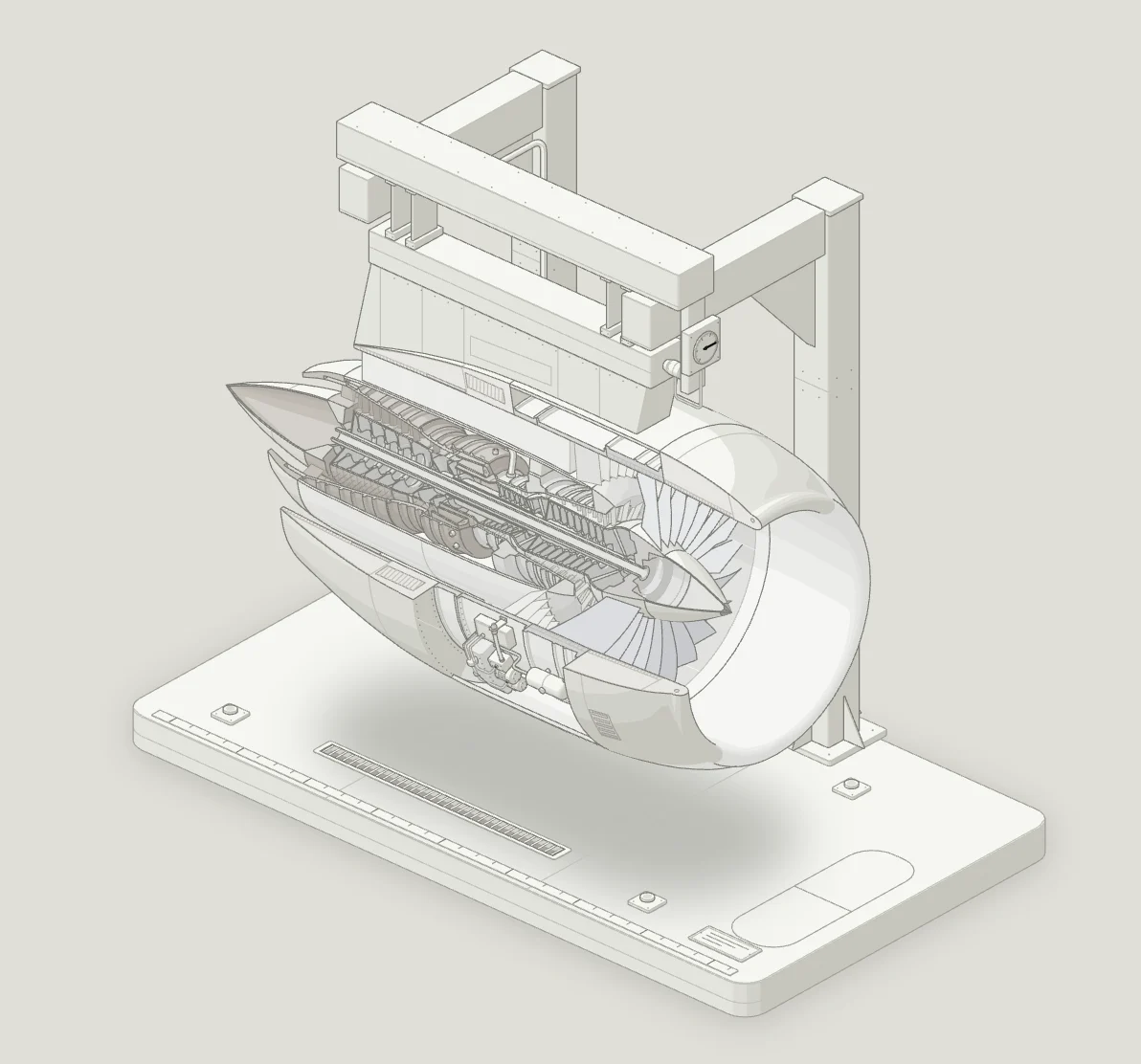
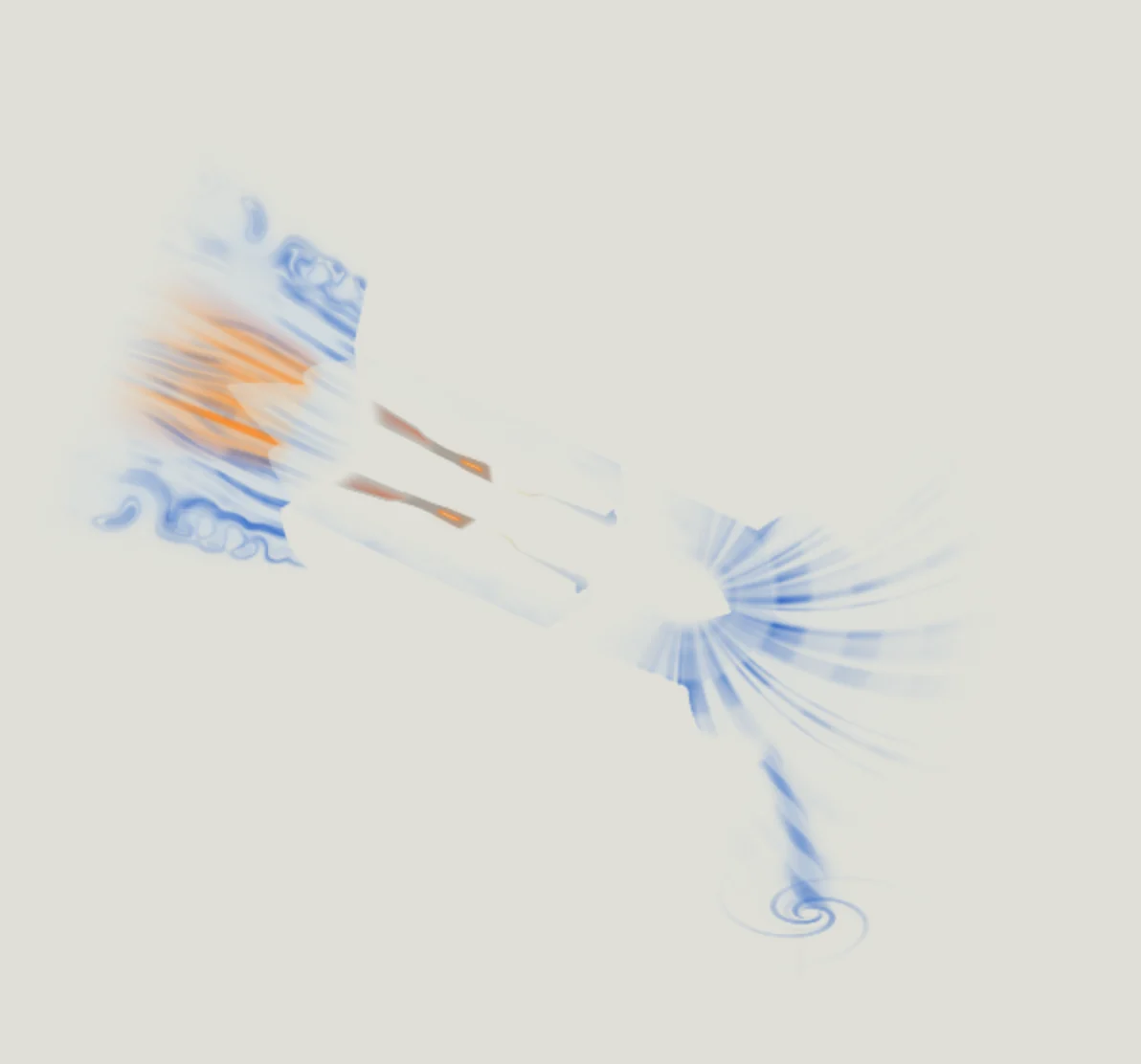
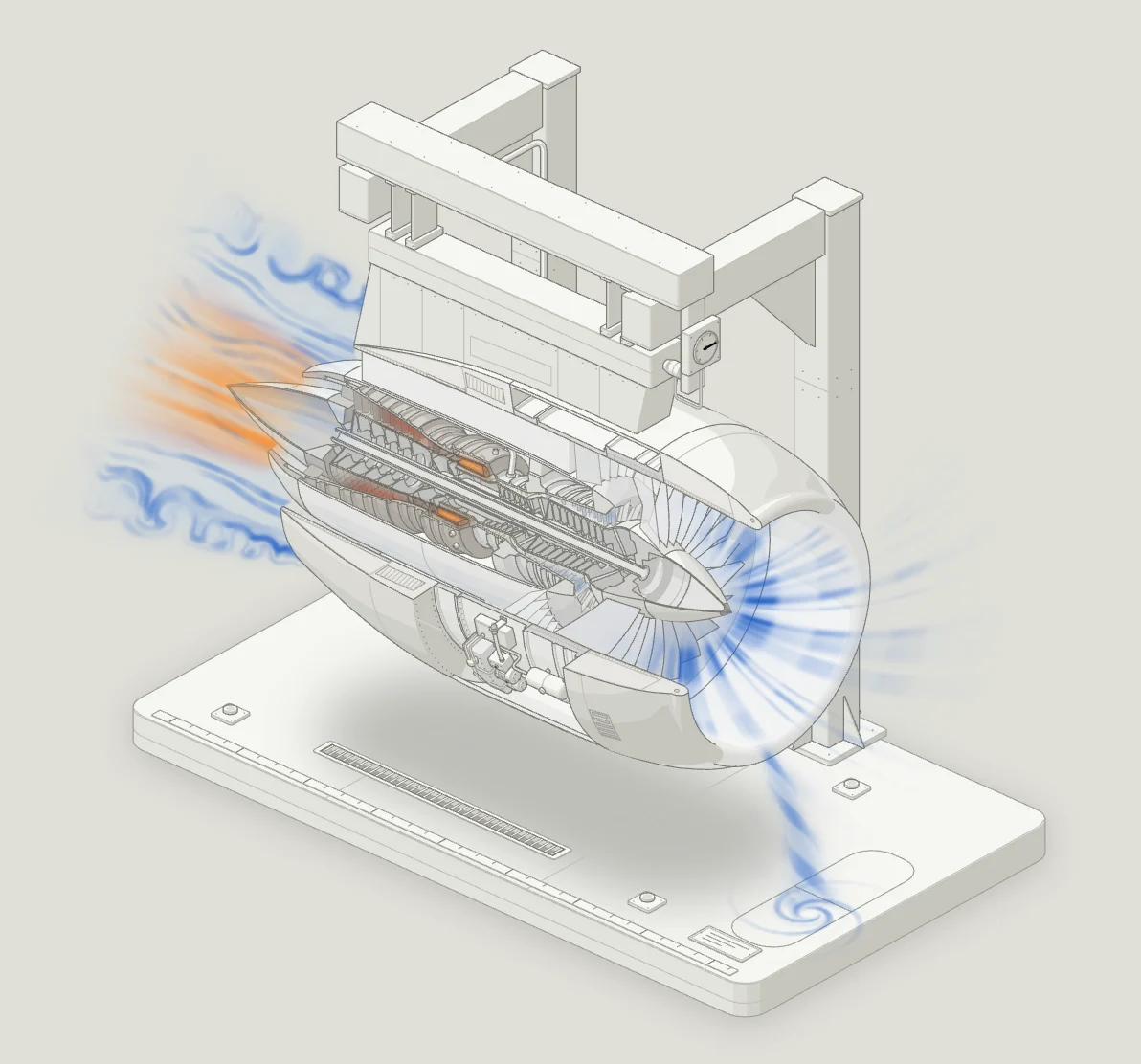
The same camera. The canvas has to put a pixel exactly where the SVG would, so the shader is handed the kit’s own numbers:
export function glCamera(projection) {
  const a = ((projection.azimuth ?? 45) * Math.PI) / 180;
  const e = ((projection.elevation ?? 30) * Math.PI) / 180;
  return {
    origin: [projection.origin[0], projection.origin[1]],
    k: projection.scale * Math.sqrt(1.6),
    cam: [Math.sin(a), Math.cos(a), Math.sin(e), Math.cos(e)],
  };
}
and every fragment shader starts with the same projection written in GLSL, next to its inverses:
vec2 project(vec3 p){return uOrigin+uK*vec2(p.x*uCam.x-p.y*uCam.y,(p.x*uCam.y+p.y*uCam.x)*uCam.z-p.z*uCam.w);}
vec3 towardViewer(){return vec3(uCam.y*uCam.w,uCam.x*uCam.w,uCam.z);}
vec3 onFloor(vec2 vb,float h){vec2 q=(vb-uOrigin)/uK;float b=(q.y+h*uCam.w)/uCam.z;return vec3(q.x*uCam.x+b*uCam.y,-q.x*uCam.y+b*uCam.x,h);}
onFloor answers the opposite question, which floor point lies under this pixel, so a glow on the pad lands on the pad’s own lines. Because the camera is orthographic, every pixel is one straight ray toward the viewer, and a shader can march through a plume in world units.5The turbofan’s canvas reports 596 × 556 at 1440 px wide for a 600 × 560 drawing; the shader converts between the two on every pixel.
Ink on paper. The kit asks for a premultiplied canvas, so the page takes each pixel’s colour as already multiplied by its alpha and lays it over whatever is underneath.
const gl = canvas.getContext("webgl", { premultipliedAlpha: true, alpha: true, antialias: false, preserveDrawingBuffer: false });
On a dark page a glow can be added with screen blending. On a light page it cannot: nothing is brighter than paper. So in light, a glow is ink. The shader decides the colour the page should show and solves for the ink that produces it, with a floor under alpha so a near-white core still hides the lines behind it and reads as light rather than a hole.
vec4 inkFor(vec3 seen,float cover){
  vec3 absorbed=1.-seen;
  float a=max(max(absorbed.r,max(absorbed.g,absorbed.b)),cover);
  return vec4(vec3(a)-absorbed,a);
}
Nothing pops. One popped frame reads as a rendering bug. So every uniform rides an envelope, a change of phase is a crossfade driven by the physical quantity, and every term reaches zero before any edge. It is checked with numbers as well as eyes: a hook installed before the page loads reads the canvas back after every frame and logs how much ink it lays down.
const [x, y, w, h] = window.__inkBox || [0, 0, canvas.width, canvas.height];
const px = new Uint8Array(w * h * 4);
gl.readPixels(x, y, w, h, gl.RGBA, gl.UNSIGNED_BYTE, px);
let ink = 0;
for (let i = 0; i < px.length; i += 4) {
  const bare = 255 - px[i + 3];
  ink += 255 - (0.2126 * (px[i] + bare) + 0.7152 * (px[i + 1] + bare) + 0.0722 * (px[i + 2] + bare));
}
On the turbofan’s third fix round it read 639 frames spooling up and 495 spooling down, and the largest jump in mean ink between two frames was 0.0001.
Turning
Some ideas need a part that turns in depth, like the globe in Seasons. The skill’s 3D mode, still a beta, re-projects, re-shades and re-orders those parts every frame and keeps the kit’s look while it does.
A turn is a camera move. Because the light turns with the camera, turning a group by θ about a vertical axis gives exactly the picture the kit would draw from azimuth a − θ. So the runtime never rotates a point. It builds a camera:
const turn = pose ? pose.turn ?? 0 : 0;
const pivot = pose && pose.pivot ? pose.pivot : [0, 0];
const b = a - turn * T3_RAD;
const sb = Math.sin(b);
const cb = Math.cos(b);
cam.m[0] = sb * k;
cam.m[1] = -cb * k;
cam.m[2] = 0;
cam.m[3] = cb * se * k;
cam.m[4] = sb * se * k;
cam.m[5] = -ce * k;
Order from planes. Turning breaks any fixed painter’s order. So the turning parts are convex, and every pair that can overlap gets a separating plane when the figure is built. Each frame, the sign of the plane’s normal against the view direction says which of the two is in front.6Two convex solids that do not touch always have one. A plane only flips when it is edge-on to the camera, and at that instant swapping the pair changes no pixel.
const s = planar[p + 2] * V[0] + planar[p + 3] * V[1] + planar[p + 4] * V[2];
if (s < 1e-7 && s > -1e-7) continue;
const li = local.get(i);
const lj = local.get(j);
if (s > 0) addEdge(li, lj);
else addEdge(lj, li);
The edges go into a stable topological sort, keyed by the previous frame’s order, so two parts only swap when they have to.
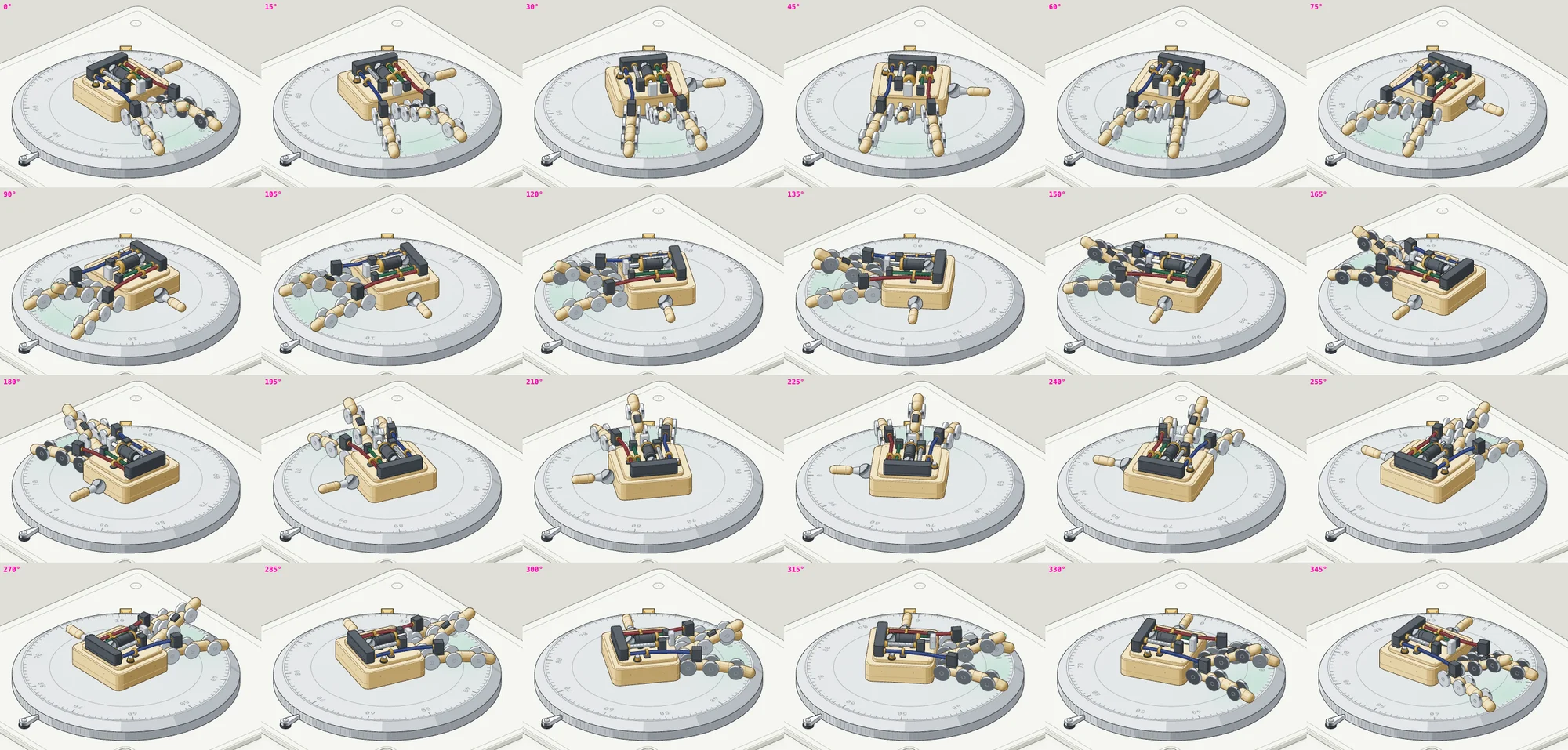
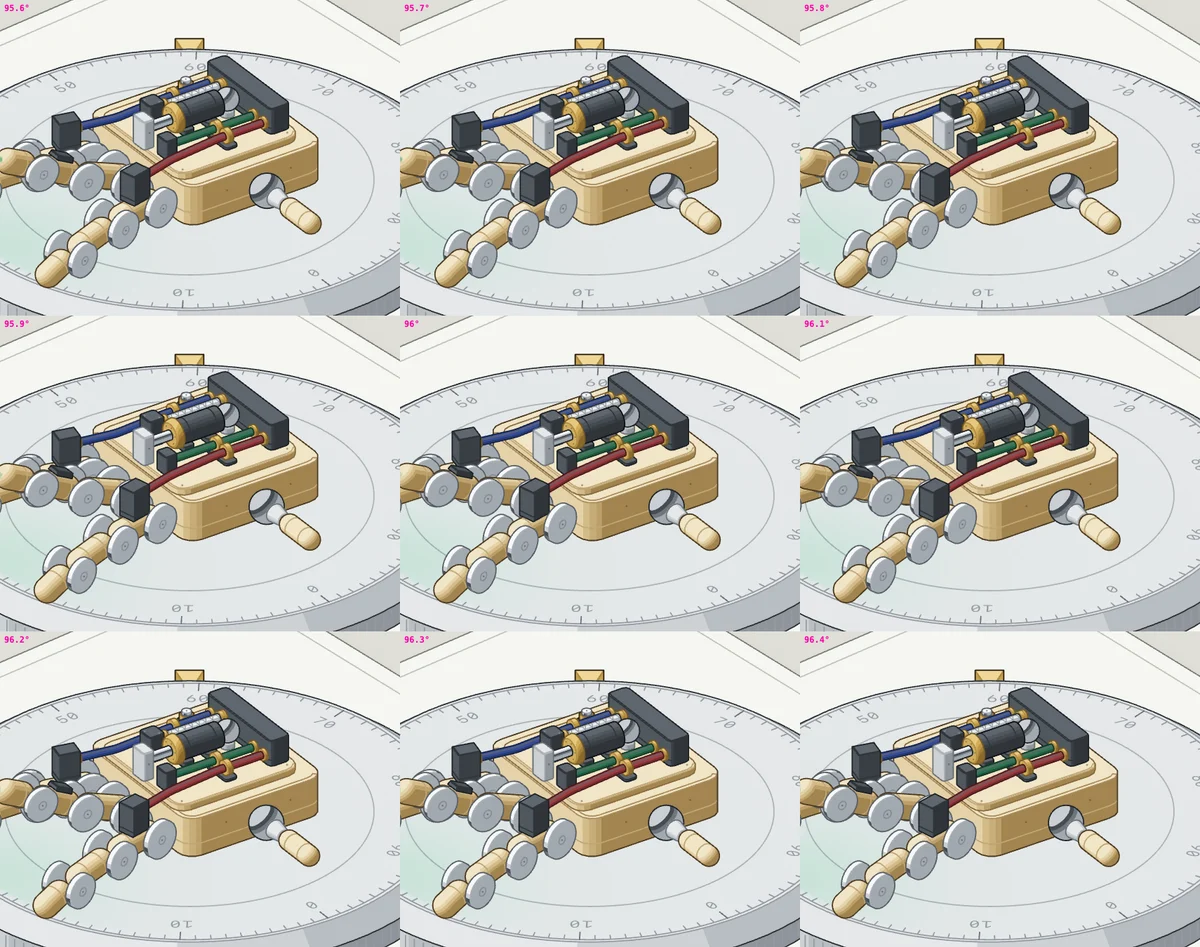
The orbit audit. The proof is a sweep over every angle of the turn: 0.3° steps for order, 0.05° steps for continuity, random states, every order change, and every frame of each motion clip. The last full run on the turning-dial example took almost twenty-three minutes and ended like this:
$ node build.mjs --light --audit
  … continuity dial: 7200 steps of 0.05° over 73 parts
separation: 0
unseparated: 0
cycles: 0
forced: 0
swaps: 0
continuity: 0
order changes: 967 states with swaps · 9109 order states · 3254 posed states · 1084 planes
  sweep at 96.000: 448 pairs reorder (hand.f3.k0+ / cable.red:0; hand.f3.k0+ / cable.red:1; …)
turn audit · 1368.75 s
turn audit passed
The continuity line runs the halving test. Every candidate jump between two angles is drawn again at a half, a quarter and an eighth of the step.7A smooth change halves with the step and a pop does not, so a jump only counts as a pop if it stays above 60% at every halving.
One figure, start to finish
The skill ships a full walkthrough of one figure, the test rig. It explains how a glass button responds to touch: a press swells it, pulling makes it lean toward the finger with less give the further you pull, and letting go springs it back past rest once.8The test rig is the skill’s quality bar for the drawing itself. The Raptor engine is the bar for shader work.
Truth. The behaviour was copied from the library’s source into one pure model. The readout, the screen-reader text, the caption numbers and every moving part read from it.
- Rest size
- 120 × 32 px
- Press
- Swells 8%, at most 6 px a side
- Lean
- A rubber band: give · (1 − 1 / (1 + 0.55 · d / give)), give 14 px
- Springs
- Press 700 / 32, hold 540 / 40, release 320 / 16 (stiffness / drag)
- Stretch
- At most 8% along the lean, thinner across
Object. A real lab would hold a button in a sprung fixture and measure it with a probe and a dial gauge, so that is the machine. The glass capsule is the subject, lit while it is held. A carriage on two guide rods with four coil springs shows that the glass is springy. A finger probe on a rail is the pointer: it comes down to press, then slides along the rail to pull. A dial gauge with a plunger on the carriage reads the lean, its needle turning 20 px per revolution with a mark at the give.
Parts. Fifty-three solids, each sitting on another:
| Base | Plate, four feet with flanges, a groove, four corner screws with rings, a label plate with screws and a rule |
|---|---|
| Rail | Two posts on feet, a beam with a ruler, two end stops, screws, a rider |
| Probe | Block, knurled thumb knob, pointer, index line, arm, housing and cap, collars, lock screw, stem, pad |
| Frame | Back, left, right and front bars with screws, a floor with a grid, rod bores, ticks and a zero mark |
| Mechanism | Two rods, four coil springs split back and front, the carriage plate, four bushings, rivets, a contact block, a plunger |
| Dial | Stand, sleeve, clamp, lug, knurled band, bezel and face rings, ticks, give marks, crown, the needle |
| Subject | The glass capsule, lit while it is held, and the dotted outline of where it rests |
Camera. Azimuth 57°, so the long front of the frame faces you, fitted into a 600 × 340 view. The glass is centred at the origin on the carriage, the rods run along x at ±18, the dial stands at x = 131 and the rail sits behind at y = −66, 50 units up.
Order. Seventeen layers, back to front. The frame and the springs are split so the carriage sits inside them:
Base
Rail, rider and probe block
Back frame bars
Back halves of the coils
Rods
Left coils
Carriage
Glass
Rest outline
Pull wire
Right-back coils
Plunger
Right-front coils
Front frame bars
Dial and needle
Finger
Arm
Live. One loop reads the scripted tour or your hand, eases the finger with a time constant of 0.09 s, steps the springs and writes only the attributes that changed. The idle tour starts 1.4 s after the rig comes into view and loops every 7.6 s: rest, press, pull 80, release, settle. It pauses on hover, focus or press and resumes 3.6 s after your last input. Space presses or lets go, the arrows move and pull, and Escape releases.
Accessible. The stage is a slider whose value text reads like “Pressed: 129.6 by 34.6 pixels, pulled 80.0 px, leaning 10.6 px”. Under reduced motion the springs become critically damped: the glass still swells, but it never leans or bounces.
Checking without eyes
Claude writes code it cannot watch run. So every check in the skill ends in something Claude can read: a picture, a line of numbers, an exit code. The scripts start their own Chrome without a window, with WebGL on, and drive it over the DevTools Protocol:
const chrome = spawn(binary, ["--headless=new", "--remote-debugging-port=0", `--user-data-dir=${profile}`, "--no-first-run", "--no-default-browser-check", "--hide-scrollbars", "--allow-file-access-from-files", "--enable-unsafe-swiftshader", "--ignore-gpu-blocklist", "about:blank"]);
Before the page loads, the driver installs a clock of its own, so a run can slow the page down and catch a 100 ms event across many frames:
const raf = window.requestAnimationFrame.bind(window);
let real = null, virtual = 0;
window.__driveSpeed = 1;
window.requestAnimationFrame = (callback) => raf((now) => {
  if (real === null) { real = now; virtual = now }
  virtual += (now - real) * window.__driveSpeed;
  real = now;
  callback(virtual);
});
Every picture is a clipped screenshot of one element, or of a region inside it:
const capture = async (selector, scale = 1, region) => {
  const box = await boxOf(selector);
  const x = box.x + box.sx;
  const y = box.y + box.sy;
  const clip = region ? { x: x + region[0], y: y + region[1], width: region[2], height: region[3], scale } : { x: x - 4, y: y - 4, width: box.w + 8, height: box.h + 8, scale };
  const shot = await send("Page.captureScreenshot", { format: "png", clip, captureBeyondViewport: true });
  return shot.result.data;
};
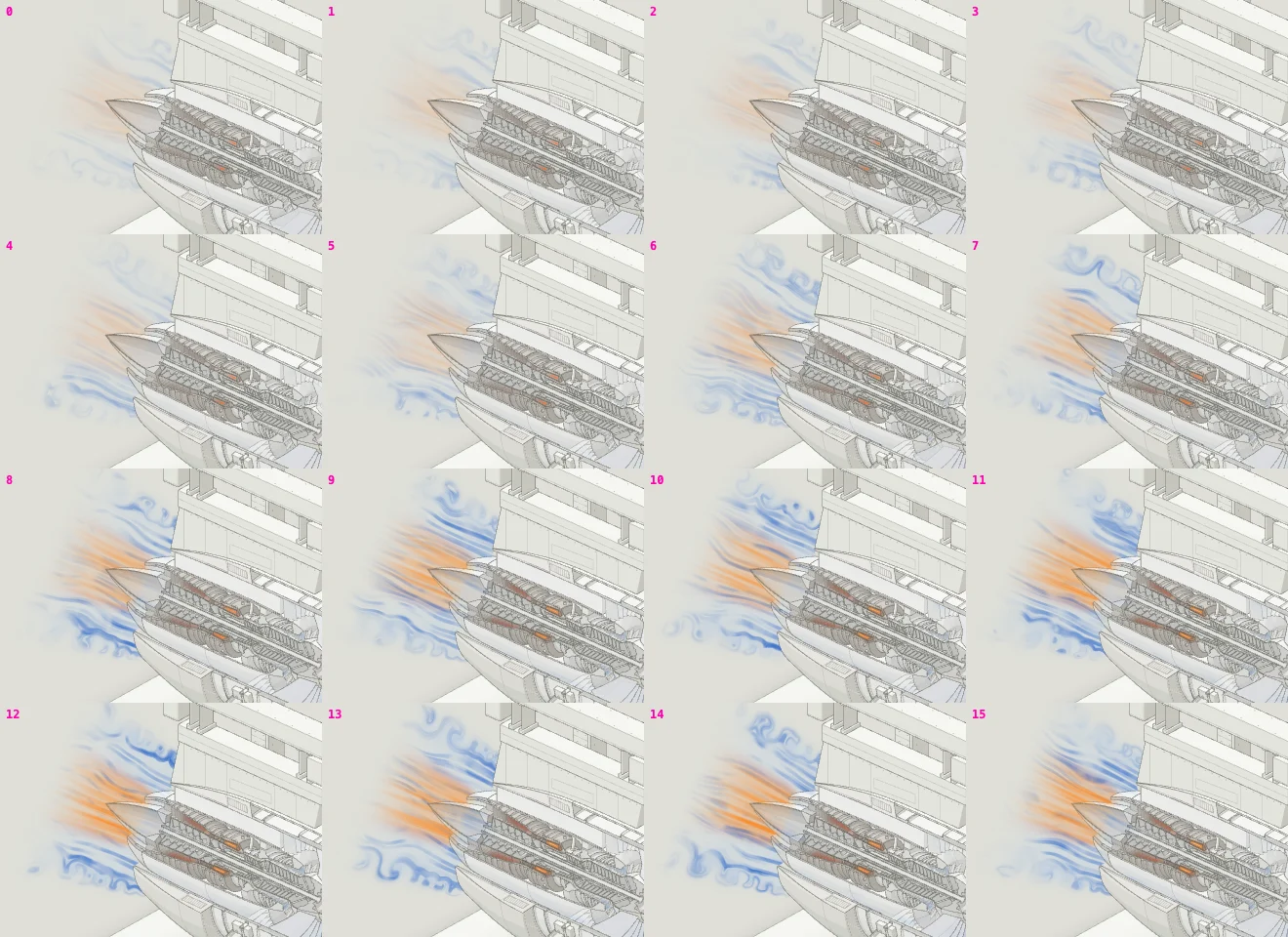
Sheets. One frame proves little about motion. A sheet takes frames at a fixed interval and tiles them, numbered, into one image that Claude reads like a contact sheet. This is the turbofan spooling up, sixteen frames 450 ms apart, with the readout logged for each:
$ node scripts/drive.mjs turbofan.html --actions spoolup.json
sheet shots/tf-spoolup.png · 16 frames every 450 ms · readouts 0:"spooling up · N1 21.0% · 14 kN · TGT 367°C"
  1:"spooling up · N1 22.0% · 15 kN · TGT 369°C" … 15:"spooling up · N1 94.3% · 329 kN · TGT 854°C"
console: clean
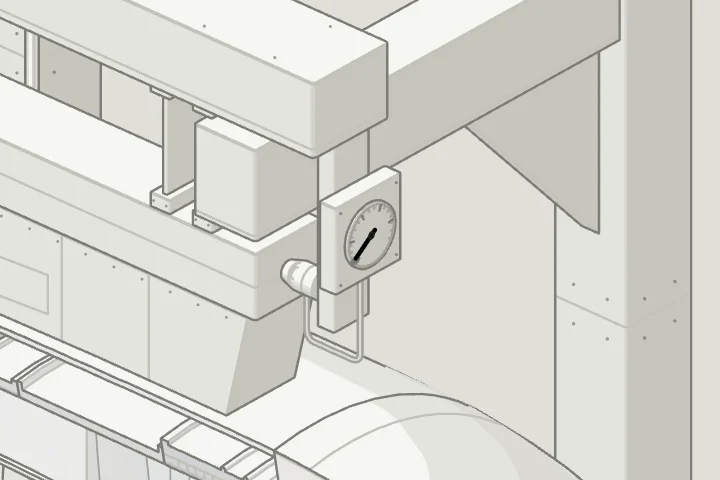
Crops and line ends. Faults hide at normal size, so Claude zooms in first: crops at four times the size round every junction, in both themes.
Then a check that needs no eyes at all. In the browser it walks both ends of every texture line, and each must land on a stroke, a dot or an outline within one pixel, or hide under a fill painted after it. To show it working, I planted a stray line on the turbofan’s pad:
$ node scripts/lines.mjs turbofan.html --out lines.png
line ends: 0 of 594 ends on 262 lines float

$ node scripts/drive.mjs turbofan.html '[["eval", "…append M345 452L368 463…"], ["lines", "planted.png"]]'
line ends: 2 of 596 ends on 263 lines float
  iso-line mid  end    35.00 px from anything   at card 389.5,511.9
  iso-line mid  start  19.26 px from anything   at card 366.7,501
The audit sees geometry and never the markup; the line check sees markup and never depth. Neither replaces looking.
A small team
One agent cannot be its own critic for long. Larger figures are built by a builder, reviewers who each look through one lens, and a fixer, in rounds, until a round finds nothing. Every agent keeps a progress file, because when I stop a turn to type, everything running in the background stops with it.9Each one keeps the figure building after every step, so a stop never leaves it broken.
Every builder gets a written brief with my words in it verbatim, the rules, and how to leave a trail. One line from a brief:
Re-read this file whenever your context is summarised. Keep PROGRESS.md
in your figure folder current (done / next / open decisions) after every step,
so the work can be resumed if you are stopped.
The turbofan’s builder kept one through a build and five fix rounds over 5 and 6 October. This is the end of the third round, as it wrote it:
## fix round 3 verified (2026-10-06 05:55)
- audit passed: 10 tubes · 541 solids · 577 items · 6320 order rules · 0 problems
- lines: 0 of 594 ends (static, take-off, mid spool-down, idle); tsc clean; console clean in every run
- GL probe: 639 frames up, 495 down, max mean-alpha jump 0.0001, edge alpha 0, premultiplied violations 0
- 400 solids · 4,184 paths · 1 svg · 1 canvas

## next
- nothing blocking
Reviewers do not read the builder’s report and nod. They build the page themselves, run the audit again and take their own pictures. The turbofan’s three review rounds left 309 screenshots behind, and the first drawing review saved its own audit run beside them: 519 solids, 6,050 order rules, audit passed.
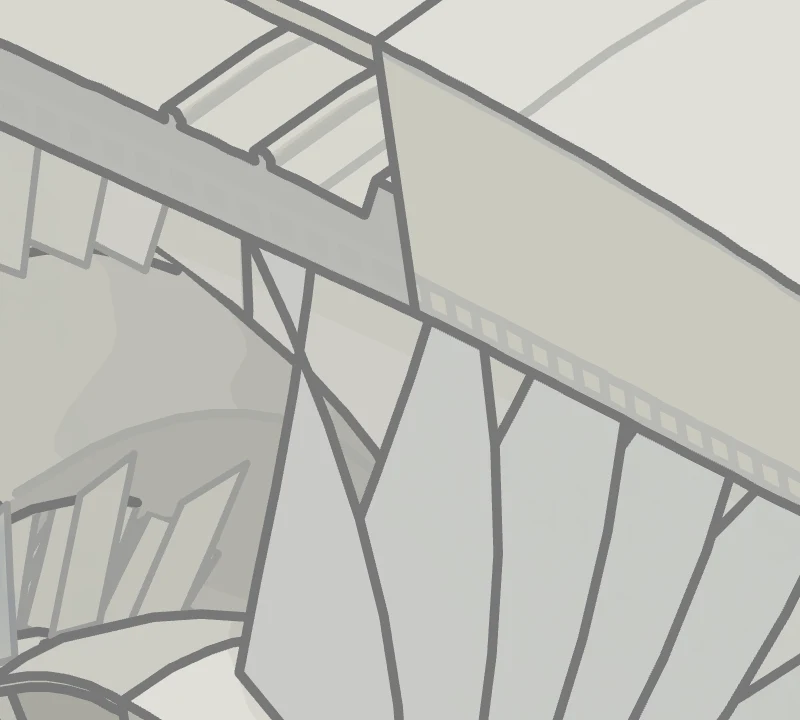
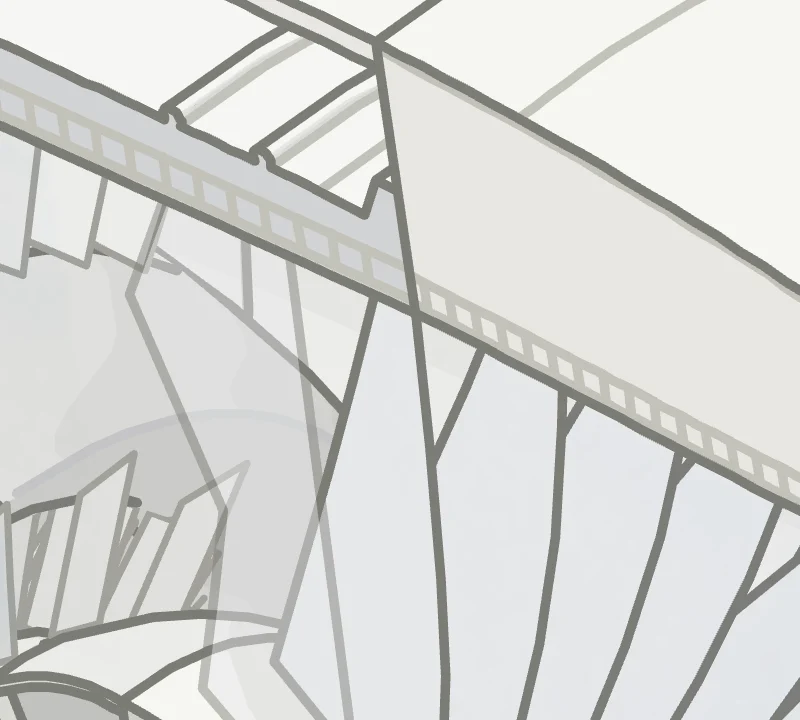
What reviewers find is mostly what zooming in finds. In round two, one reviewer blew a 50 × 45 px patch of the fan up to 800 × 720 and saw blades folding into slivers near the cut. The fix decided each blade whole and faded it over 0.6 of a pitch.
That is most of the work. Look closer, say what is wrong, fix it, and look again.
Sources
- Isometric projection Wikipedia. True isometric looks down at about 35.264°, arctan 1/√2.
- Isometric video game graphics Wikipedia. The 2:1 pixel ratio: lines at arctan(sin 30°), about 26.565°.
- Orthographic projection Wikipedia. Parallel projection: every pixel is a straight ray in the same direction.
- Painter’s algorithm Wikipedia. Farthest first, and the cases it cannot order: cyclic overlap and piercing.
- Hyperplane separation theorem Wikipedia. Two disjoint convex solids always have a plane between them.
- Topological sorting Wikipedia. Kahn’s 1962 algorithm, which the 3D runtime runs every frame.
- Bézier curve Wikipedia. The cubic B(t) = (1 − t)³P₀ + 3(1 − t)²tP₁ + 3(1 − t)t²P₂ + t³P₃.
- CSS Easing Functions Level 1 W3C. cubic-bezier(x1, y1, x2, y2), with x1 and x2 kept within [0, 1].
- Smoothstep Wikipedia. 3x² − 2x³, flat at both ends: the attack of every envelope.
- Damping Wikipedia. Critical damping reaches rest in the least time without overshoot.
- Window: requestAnimationFrame() MDN. The frame timestamp every loop measures time with.
- prefers-reduced-motion MDN. The media query every figure checks before it moves.
- WebGL: 2D and 3D graphics for the web MDN. The API behind every shader in a figure.
- WebGL Specification, version 1.0.3 Khronos. WebGLContextAttributes, including premultipliedAlpha, true by default.
- OpenGL ES Shading Language 1.00 Khronos. The shader language the kit’s fragments are written in.
- HTMLCanvasElement: getContext() MDN. The context attributes the kit asks for.
- Alpha compositing Wikipedia. Premultiplied colour and the over operator, after Porter and Duff, 1984.
- Chrome DevTools Protocol Chrome. Page.captureScreenshot, Page.addScriptToEvaluateOnNewDocument, Input.dispatchMouseEvent, Emulation.setDeviceMetricsOverride.
- Chrome Headless mode Chrome for Developers. Chrome without a window, which is how the checks run.
- 1The concept and the parts list come before any geometry, because most of the quality is decided there.
- 2Strictly, 30° is a dimetric view. True isometric looks down at 35.264°, and at 30° floor edges climb at 26.565°, one pixel up for every two across.
- 3Locking the light to the camera keeps every figure lit the same way at any angle. It is also what makes turning in 3D cheap.
- 4Because the share is 1 − e−dt/τ, the motion is the same at any frame rate. Under reduced motion,
calmmakes the share 1 and the value jumps. - 5The turbofan’s canvas reports 596 × 556 at 1440 px wide for a 600 × 560 drawing; the shader converts between the two on every pixel.
- 6Two convex solids that do not touch always have one. A plane only flips when it is edge-on to the camera, and at that instant swapping the pair changes no pixel.
- 7A smooth change halves with the step and a pop does not, so a jump only counts as a pop if it stays above 60% at every halving.
- 8The test rig is the skill’s quality bar for the drawing itself. The Raptor engine is the bar for shader work.
- 9Each one keeps the figure building after every step, so a stop never leaves it broken.